Bitchat: Decentralized, P2P Communication using Bluetooth
Bitchat (pronounced as Bit-chat, not Bitch-at) is a decentralized, peer to peer Bluetooth-based messaging application developed by Jack Dorsey. The application does not require internet connections; this allows it to work in the event of an internet outage.
describes the transmission protocol of Bitchat, namely, the process of peer discovery and multi-hop communication. describes the key exchange and encryption schemes used by Bitchat to ensure privacy and security while messaging. covers schemes used by Bitchat for improving communication and device performance. lists down the platforms supported by the Bitchat application.
Transmission protocol

Each Bitchat device scans for nearby devices using Bluetooth and establishes connections when another app instance is found. When a message is sent, if the destination is not directly reachable, the message is forwarded to one or more neighboring peers. These peers then continue forwarding the message until it reaches the target device. The process of automatic peer discovery and multi-hop communication creates a mesh network over Bluetooth. The mesh adjusts dynamically as devices join or leave, ensuring communication remains possible even in changing environments. No central coordination is needed—each device builds a partial map of nearby peers and uses it for routing.
Peer discovery
BitChat operates without any central server or internet connection. To enable communication, each device must discover other nearby devices running the BitChat app. This is achieved through a process called decentralized peer discovery.
How peer discovery works
- Scanning Every BitChat device continuously scans the environment for other devices.
- App identification BitChat uses unique service UUIDs or identifiers to recognize other BitChat nodes.
- Connection attempt: When a nearby BitChat device is detected, the app initiates a short handshake to confirm compatibility and exchange public keys.
- Temporary peer list: Each device maintains a local, temporary list of all nearby peers that are currently reachable. This list updates as peers move in or out of range.
Privacy features
- No use of persistent identifiers such as usernames, phone numbers, or device IDs.
- Device identity is session-based and changes frequently for anonymity.
- Only minimal metadata (like session keys or node info) is shared, and all communication is encrypted.
Multi-hop communication in BitChat
BitChat uses multi-hop communication to extend message delivery beyond the direct Bluetooth range of a single device. Since Bluetooth has a limited range (typically 10–50 meters), devices must rely on intermediate peers to relay messages across longer distances. This forms a dynamic mesh network where messages can hop from one device to another until they reach the final recipient.
How multi-hop works
- A user writes a message intended for a recipient who is not currently within Bluetooth range.
- The sender's BitChat app encrypts the message using the shared key.
- The message is broadcast to all nearby BitChat peers.
- Each receiving peer checks if the message is for them. If not, they forward it to their own nearby peers.
- This process continues hop-by-hop until the message reaches the target device.
Message handling
- Messages contain a unique identifier to avoid duplicates or loops.
- Devices maintain a short-term memory of recently seen messages to prevent repeated relays.
- Optional hop limits or time-to-live values can prevent indefinite propagation.
Security and privacy

Elliptic Curve Cryptography (ECC) Key Generation Process
Select an elliptic curveAn elliptic curve is defined by an equation of the form: \(y^2 = x^3 + ax + b\) over a finite field. The parameters \(a\) and \(b\) must satisfy the condition: \(4a^3 + 27b^2 ≠ 0\) (to avoid singularities). In practice, standardized curves like secp256k1 (used in Bitcoin) or prime256v1 are used.
This is a predefined point on the selected curve. It is called the generator or base point. The point \(G\) has known coordinates \((x, y)\) and a defined order \(n\), which means \(n \times G = O\) (point at infinity).
Generate a Private Key (d)Select a random integer \(d\) such that \(1 \leq d < n\), where \(n\) is the order of the base point. This \(d\) is the private key and must be kept secret. It is just a large random number.
Step 4: Compute the public keyThe public key is a point on the elliptic curve calculated by scalar multiplication \(Q = d × G\). This operation involves adding the point \(G\) to itself \(d\) times. The result \(Q\) is another point on the curve and is publicly shared.
Python code for private and public key generation
from cryptography.hazmat.primitives.asymmetric import ec
from cryptography.hazmat.primitives import serialization

# Step 1: Generate private key using a standard elliptic curve
# Here we use SECP256R1 (also known as prime256v1)
private_key = ec.generate_private_key(ec.SECP256R1())

# Step 2: Derive the public key from the private key
public_key = private_key.public_key()

# Step 3: Convert the private key to PEM (printable format)
private_pem = private_key.private_bytes(
    encoding=serialization.Encoding.PEM,
    format=serialization.PrivateFormat.PKCS8,  # Standard private key format
    encryption_algorithm=serialization.NoEncryption()
)

# Step 4: Convert the public key to PEM (printable format)
public_pem = public_key.public_bytes(
    encoding=serialization.Encoding.PEM,
    format=serialization.PublicFormat.SubjectPublicKeyInfo
)

# Step 5: Print the keys
print("=== ECC Private Key ===")
print(private_pem.decode())

print("=== ECC Public Key ===")
print(public_pem.decode())
Sample output
Sample output for the private and public key generation will vary each time due to randomness. We present one instance of private and public key.
=== ECC Private Key ===
-----BEGIN PRIVATE KEY-----
MIGHAgEAMBMGByqGSM49AgEGCCqGSM49AwEHBG0wawIBAQQg5d0FGrt9X4n3...
-----END PRIVATE KEY-----

=== ECC Public Key ===
-----BEGIN PUBLIC KEY-----
MFkwEwYHKoZIzj0CAQYIKoZIzj0DAQcDQgAEjCtLrDGx9aGfT6BOBLMiOxyL...
-----END PUBLIC KEY-----
Key exchange using X25519
Bitchat app uses X25519, an elliptic curve key exchange algorithm based on Curve25519, to establish a shared secret between two devices over Bluetooth. This shared secret is never transmitted and can only be calculated by the two parties involved.
Steps in key exchange using X25519
- Each device generates a private key (a random 32-byte number).
- Each device derives a corresponding public key using the X25519 function.
- The devices exchange public keys over Bluetooth.
- Shared key, for secure communication between two devices, is computed as function of public and private key.
Example of a key exchange
Let’s say Alice's private key is \(a\) and public key is \(A = a \times G\). Similarly, Bob's private key is \(b\) and public key is \(B = b \times G\). Here, \(G\) is a fixed, publicly known point on the elliptic curve (Curve25519); and \(\times\) denote scalar multiplication on the curve. The common shared key is computed as follows, Alice computes
Alice computes
\[S_A = a × B = a × (b × G) = (a × b) × G\]Bob computes
\[S_B = b × A = b × (a × G) = (b × a) × G\]As scalar multiplication is commutative, i.e., \(a × b = b × a\), we get
\[S=S_A=S_B\].Message encryption using AES-256-GCM
The shared secret is passed through a key derivation function to produce a symmetric encryption key for AES.
Steps in AES encryption
- Derive a 256-bit AES key from the shared secret.
- Use a random nonce (initialization vector) for each message.
- Encrypt the message using AES-256-GCM, which provides:
- Confidentiality (data is unreadable to outsiders) of message using ciphertext.
- Integrity (data cannot be modified without detection) of message using authentication tag.
- Send the ciphertext, nonce, and authentication tag to the receiver.
- The receiver decrypts the message using the same AES key and nonce.
Python code for key exchange and AES encryption
The code generates X25519 private and public keys for Alice and Bob. It performs secure ECDH key exchange using .exchange() and derives a 256-bit AES encryption key using HKDF with SHA-256. Finally, it confirms both parties derive the same encryption key.
from cryptography.hazmat.primitives.asymmetric import x25519
from cryptography.hazmat.primitives import hashes
from cryptography.hazmat.primitives.kdf.hkdf import HKDF

# Step 1: Generate private and public keys
alice_private_key = x25519.X25519PrivateKey.generate()
alice_public_key = alice_private_key.public_key()

bob_private_key = x25519.X25519PrivateKey.generate()
bob_public_key = bob_private_key.public_key()

# Step 2: Exchange public keys and compute shared secrets
alice_shared_key = alice_private_key.exchange(bob_public_key)
bob_shared_key = bob_private_key.exchange(alice_public_key)

# Step 3: Derive encryption key using HKDF
def derive_key(shared_secret):
    return HKDF(
        algorithm=hashes.SHA256(),
        length=32,  # 256-bit key
        salt=None,
        info=b"handshake data",
    ).derive(shared_secret)

alice_encryption_key = derive_key(alice_shared_key)
bob_encryption_key = derive_key(bob_shared_key)

# Step 4: Verify both derived the same key
assert alice_encryption_key == bob_encryption_key
print("Shared encryption key established successfully.")
Cover traffic to prevent traffic analysis
Even with end-to-end encryption, attackers can still perform traffic analysis. This can be used to detect the sender, the timing of messages, track message frequency, and communication pattern between specific users. To avoid traffic analysis, Bitchat uses cover traffic (sending dummy messages and introducing random delays between real messages) to make it harder for observers to analyze communication patterns.
Implementation of cover traffic
- Periodically sends random dummy messages that look like real encrypted data
- Introduces timing obfuscation by adding delays or jitter between real messages
- Ensures a consistent traffic flow regardless of user activity
Performance optimization
The app includes several performance optimizations to ensure smooth operation on resource-constrained devices such as smartphones. These optimizations are focused on minimzing bandwidth consumption, saving battery, and ensuring reliable communication over Bluetooth mesh.
LZ4 algorithm for message compression

To reduce bandwidth, messages are compressed using the LZ4 algorithm before transmission. LZ4 is a fast, lightweight compression method that significantly reduces message size with minimal processing overhead. This improves bandwidth usage and reduces transmission time, which is critical over Bluetooth Low Energy.
Python code for LZ4 compression
import lz4.frame

# Original data (must be bytes)
original_data = b"This is a message that will be compressed using LZ4."

# Compress the data
compressed_data = lz4.frame.compress(original_data)
print("Compressed:", compressed_data)

# Decompress the data
decompressed_data = lz4.frame.decompress(compressed_data)
print("Decompressed:", decompressed_data)

# Verify
assert decompressed_data == original_data
Adaptive battery modes

The app monitors device conditions and adapts its behavior to conserve battery:
- Reduces peer scanning frequency when the battery is low
- Delays non-urgent message relays in power-saving mode
- Suspends dummy cover traffic if the system is under battery pressure
Optimized networking
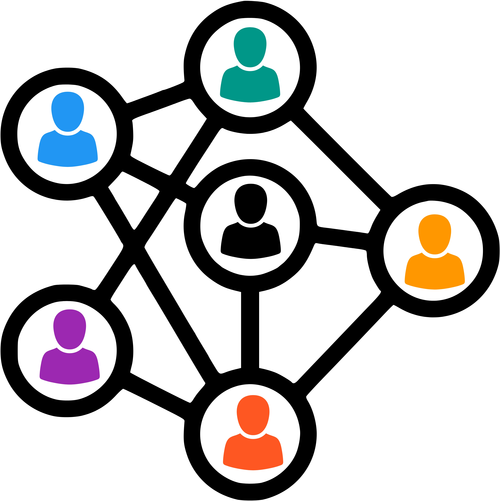
The networking stack is designed for low-latency, low-power mesh communication:
- Bluetooth scanning and broadcasting are coordinated to avoid overlap and reduce conflicts
- Peer discovery uses efficient timers and backoff algorithms to avoid repeated scans
- Message routing caches previous paths to reduce computation for multi-hop delivery
Platforms supported
Currently, the Bitchat app is only available to iOs and macOS users. As the Bitchat project is opensourced on Github, we should expect its availability on other platforms soon.
Author
Anurag Gupta is an M.S. graduate in Electrical and Computer Engineering from Cornell University. He also holds an M.Tech degree in Systems and Control Engineering and a B.Tech degree in Electrical Engineering from the Indian Institute of Technology, Bombay.
Comment
This policy contains information about your privacy. By posting, you are declaring that you understand this policy:
- Your name, rating, website address, town, country, state and comment will be publicly displayed if entered.
- Aside from the data entered into these form fields, other stored data about your comment will include:
- Your IP address (not displayed)
- The time/date of your submission (displayed)
- Your email address will not be shared. It is collected for only two reasons:
- Administrative purposes, should a need to contact you arise.
- To inform you of new comments, should you subscribe to receive notifications.
- A cookie may be set on your computer. This is used to remember your inputs. It will expire by itself.
This policy is subject to change at any time and without notice.
These terms and conditions contain rules about posting comments. By submitting a comment, you are declaring that you agree with these rules:
- Although the administrator will attempt to moderate comments, it is impossible for every comment to have been moderated at any given time.
- You acknowledge that all comments express the views and opinions of the original author and not those of the administrator.
- You agree not to post any material which is knowingly false, obscene, hateful, threatening, harassing or invasive of a person's privacy.
- The administrator has the right to edit, move or remove any comment for any reason and without notice.
Failure to comply with these rules may result in being banned from submitting further comments.
These terms and conditions are subject to change at any time and without notice.
Similar content





Past Comments